Creating an Account
This guide explains how to set up your Lab.Computer account.
The steps apply to both instructors and students.
Account creation is required to access the Lab.Computer environment and its associated functionalities.
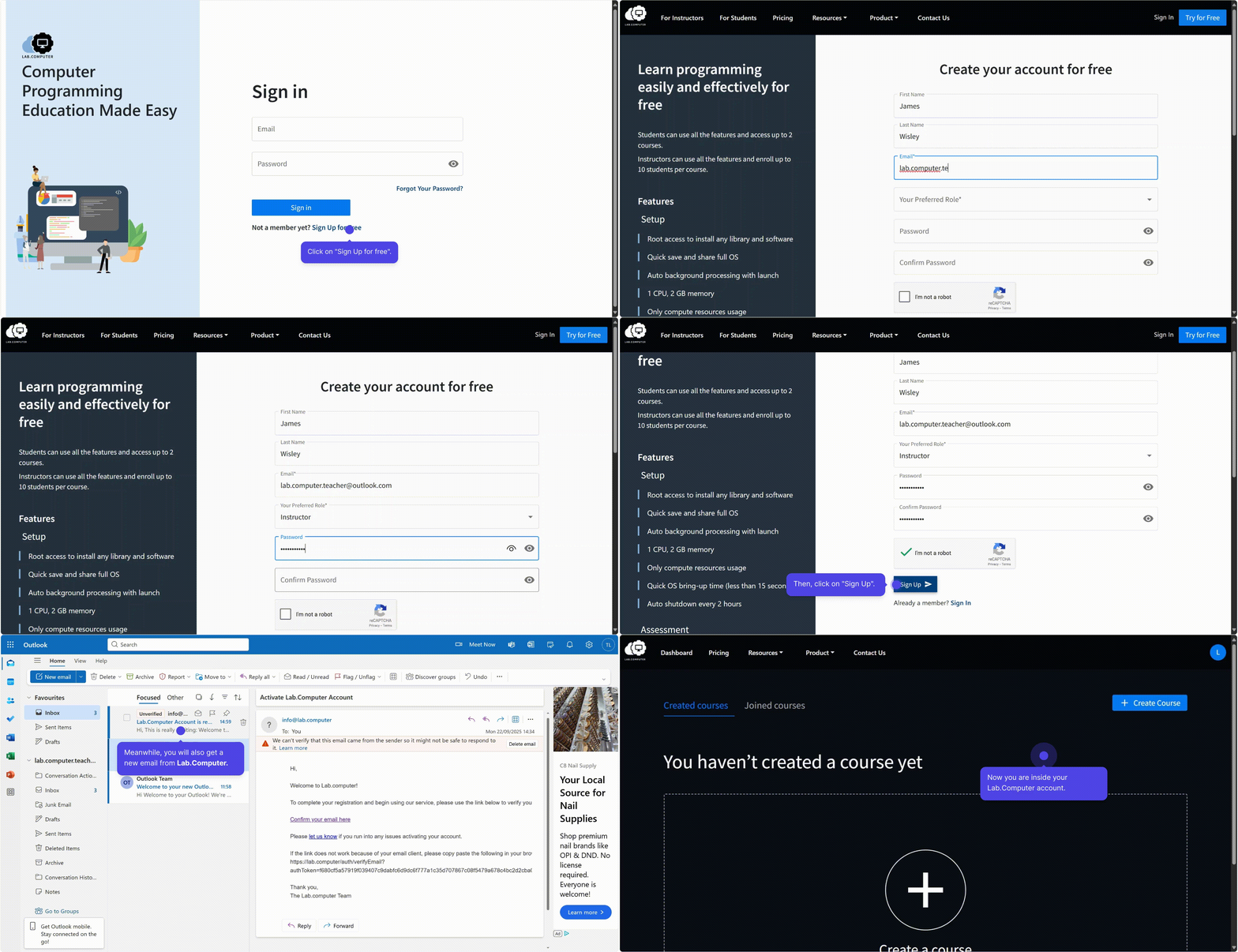
Sign Up
- Visit https://lab.computer.
- Click Try for Free in the upper-right corner.
- On the registration page, fill out the following details:
- First Name (optional)
- Last Name (optional)
- Email Address (required)
- Password: Create a secure password and confirm it.
- Role Selection (required): Choose your role from the available options (e.g., Instructor, Student, etc.).
- Complete the CAPTCHA verification and submit the form by clicking Sign Up.
Verify Your Email
- Open your email inbox and find the verification mail from Lab.Computer.
- Click the verification link inside the email.
- Log in using your registered email and password to access your dashboard.
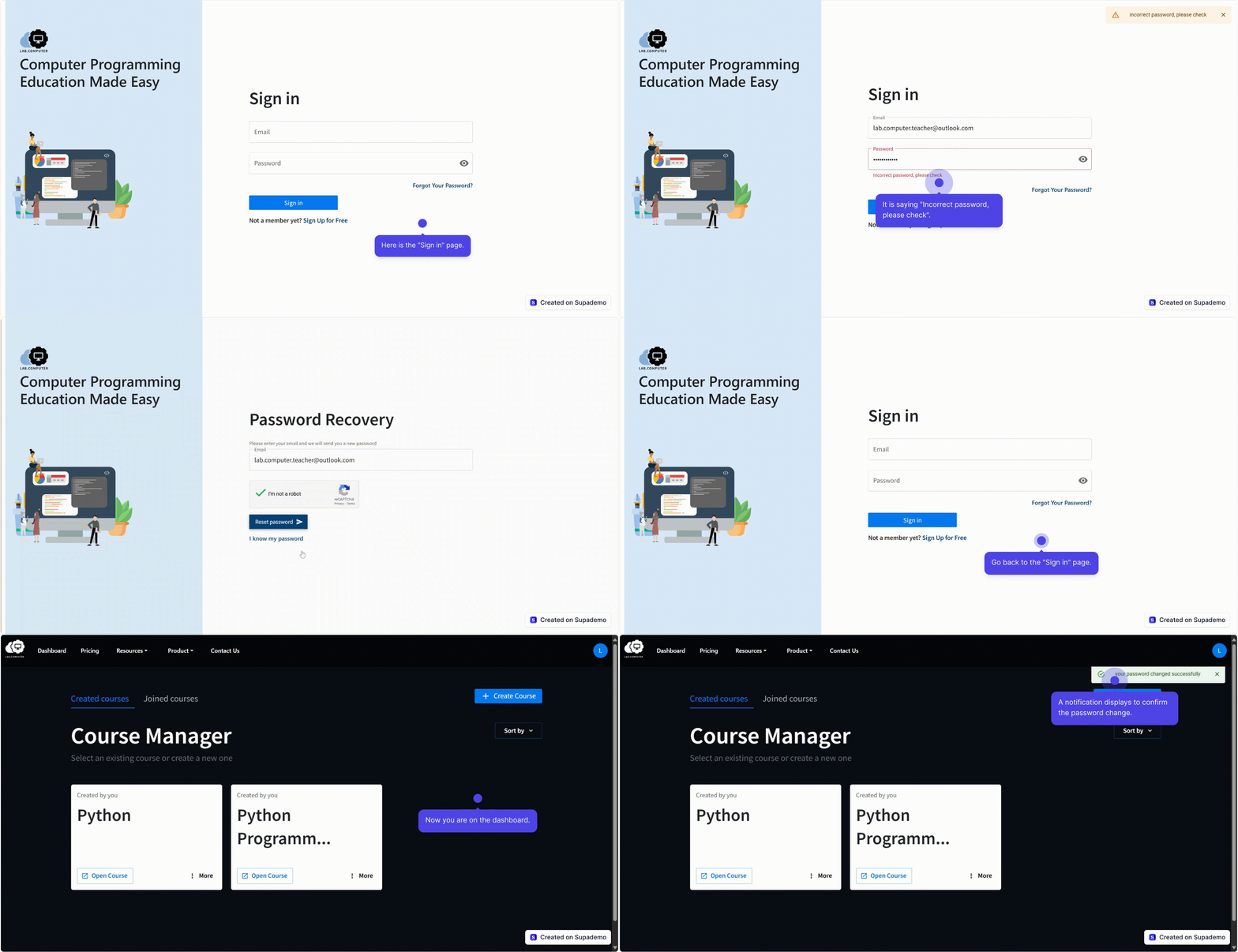
Account Setup Demonstrations
Account Creation & Sign-In
Forgot & Reset Password