Grading
The grading interface provides comprehensive tools for evaluating student work, providing feedback, and managing assessment records.
Reviewing Submissions
Instructors monitor and manage student submissions directly from the course dashboard:
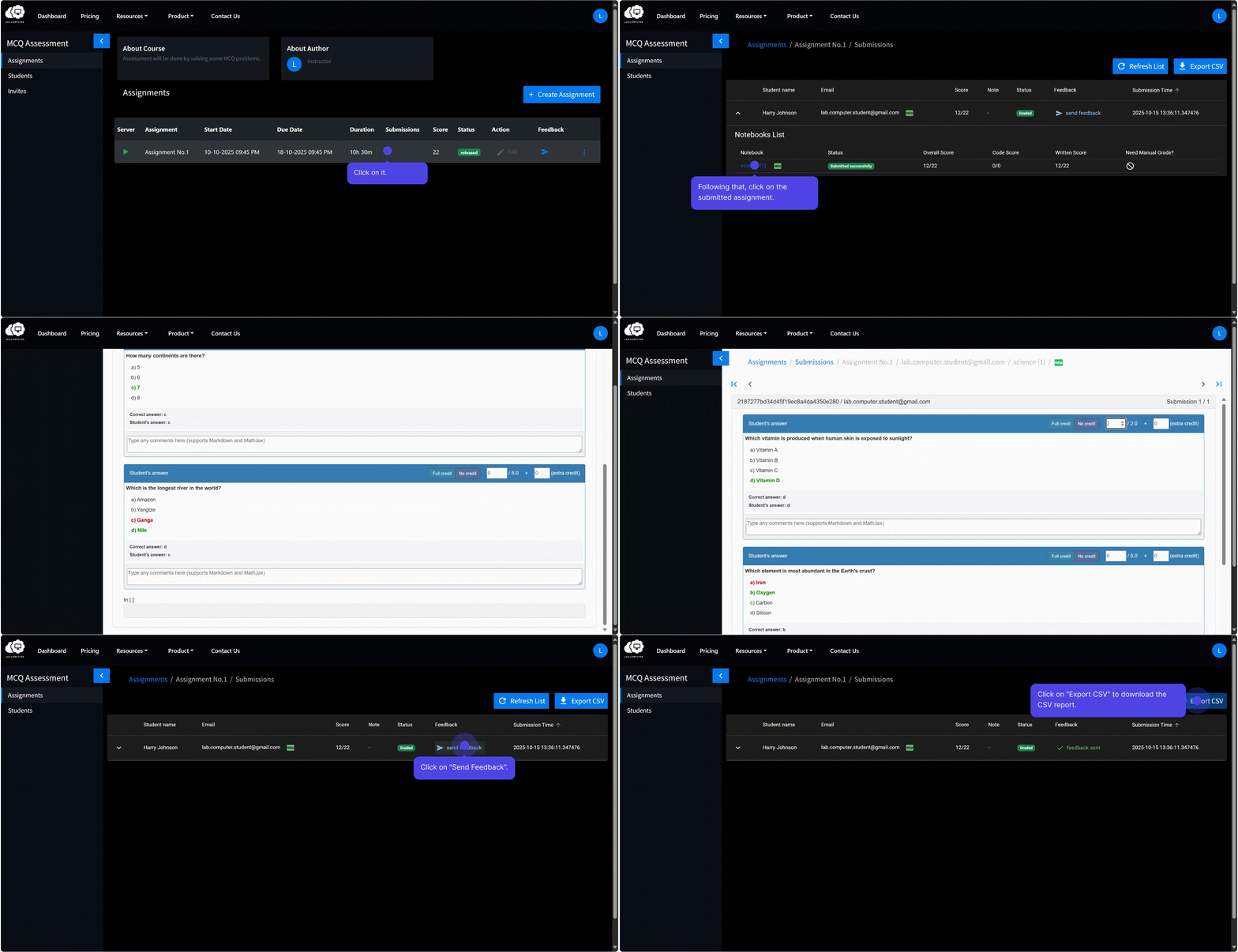
- Navigate to the Assignments section.
- Select the Submissions count for the relevant assignment.
-
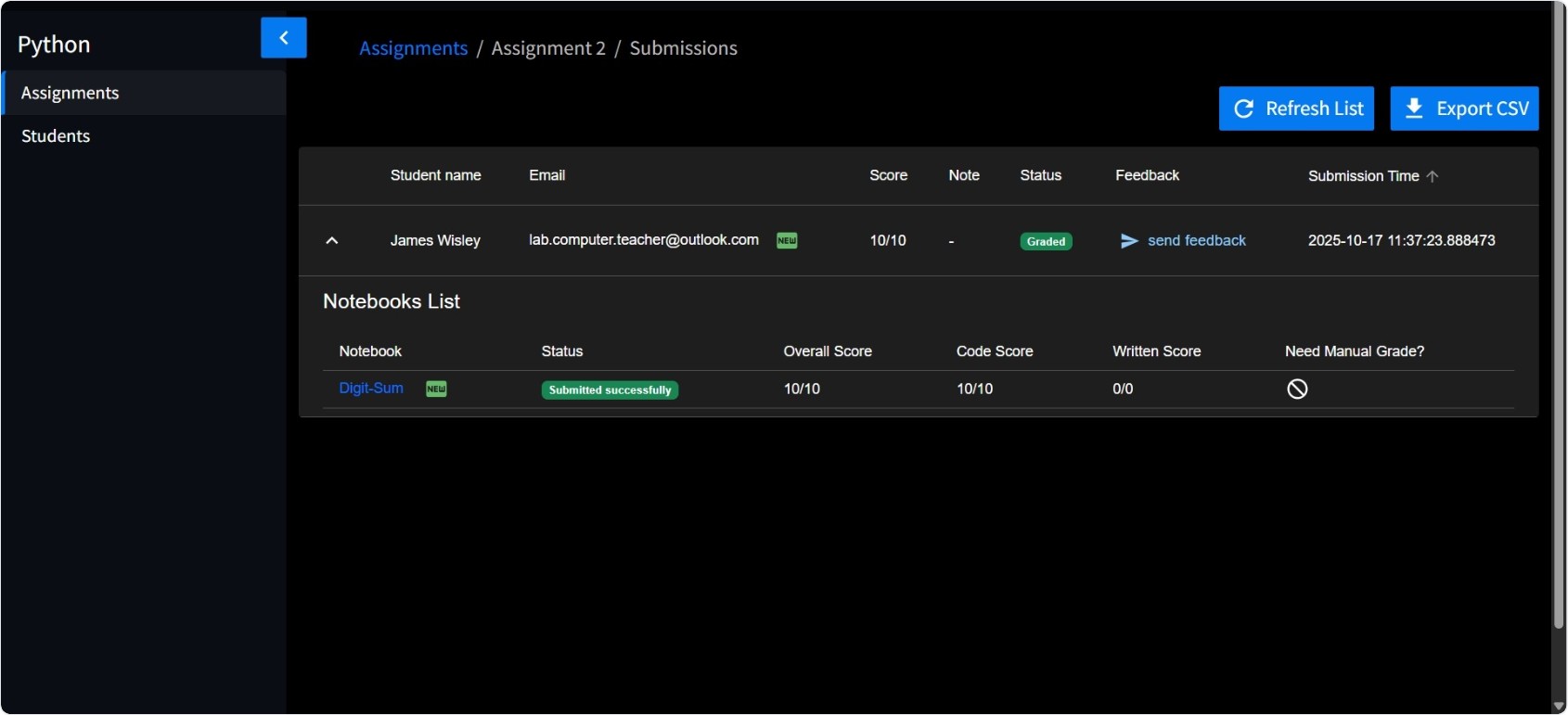
A detailed list displays for each submission:
- Student name and identification
- Submission timestamp
- Current score (if auto-grading is enabled)
- Submission status
-
Select an individual submission to open the student's notebook in browser view.
- Review submitted code, written responses, and executed outputs.
Auto‑Grading
The auto-grading system automatically executes configured test cases and evaluates student responses.
Test Case Evaluation
The grade score assigned by the auto‑grader reflects results from both visible and hidden test cases. Visible test results may appear to students immediately upon execution, while hidden test results are typically revealed following instructor review and grade finalization.
Multiple Choice Questions (MCQs)
Auto‑graded MCQ responses are evaluated automatically based on correct answer configuration, showing immediate results for objective assessment components.
Manual Grading
The submission review interface enables comprehensive manual evaluation.
Grade Adjustment
Instructors retain authority to:
- Override grades: Modify auto‑graded scores based on qualitative assessment
- Award extra credit: Recognize exceptional performance or additional effort
- Assign partial credit: Provide proportionate grades for partially correct solutions
All grade adjustments must be explicitly saved prior to completing the review process.

Exporting Grades
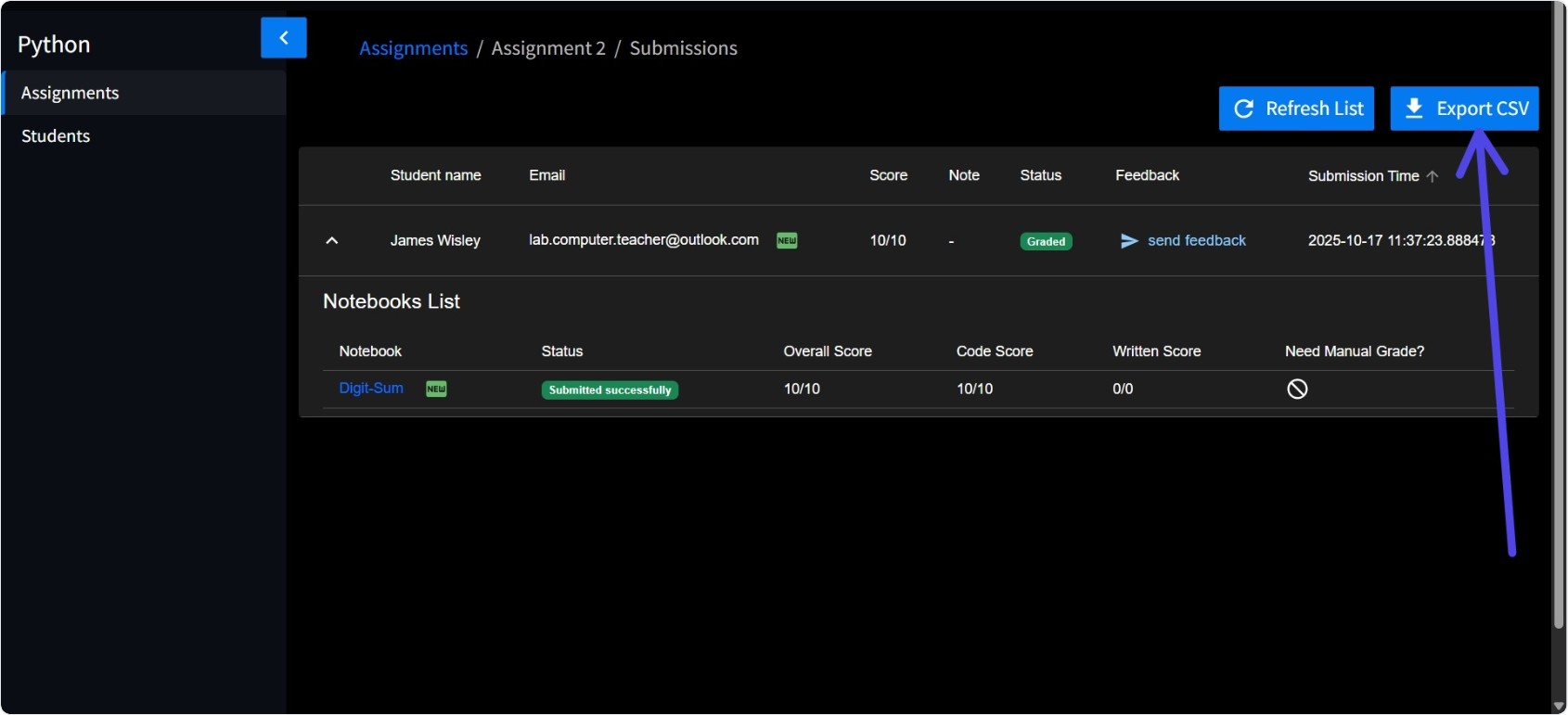
The Export CSV function enables comprehensive grade data export from the Submissions view. The exported file contains:
- Student identification information
- Submission timestamps
- Final scores and grade components
- Additional assignment‑specific metadata
This functionality facilitates:
- Offline analysis and record‑keeping
- Integration with external grading systems
- Institutional reporting requirements
- Long‑term performance tracking
Proctoring
Proctoring functionality is planned for future implementation to help ensure academic integrity within the submission and evaluation process. This feature will provide automated similarity analysis across student submissions to identify potential academic misconduct.