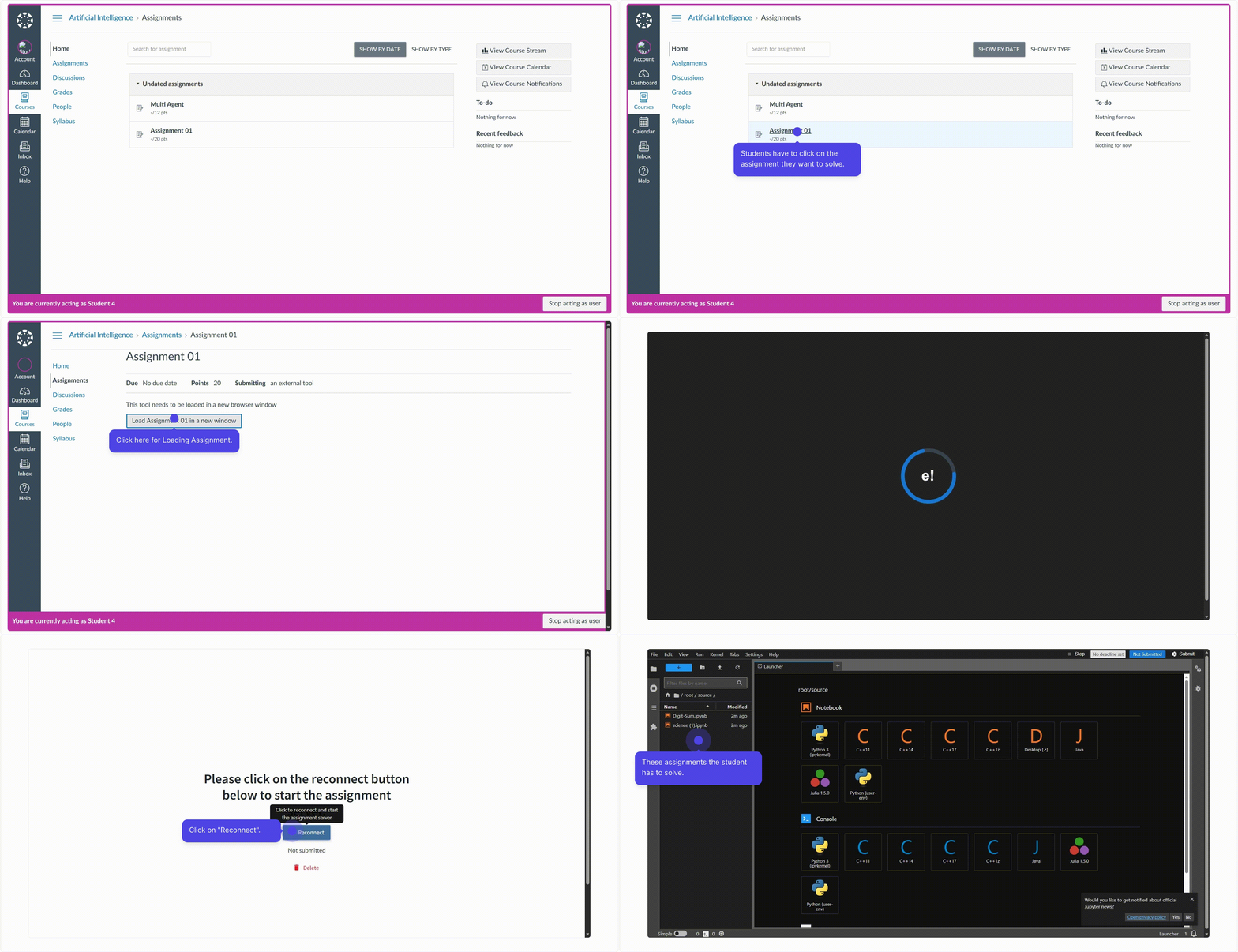
Student Flow on Canvas
Import the Assignment
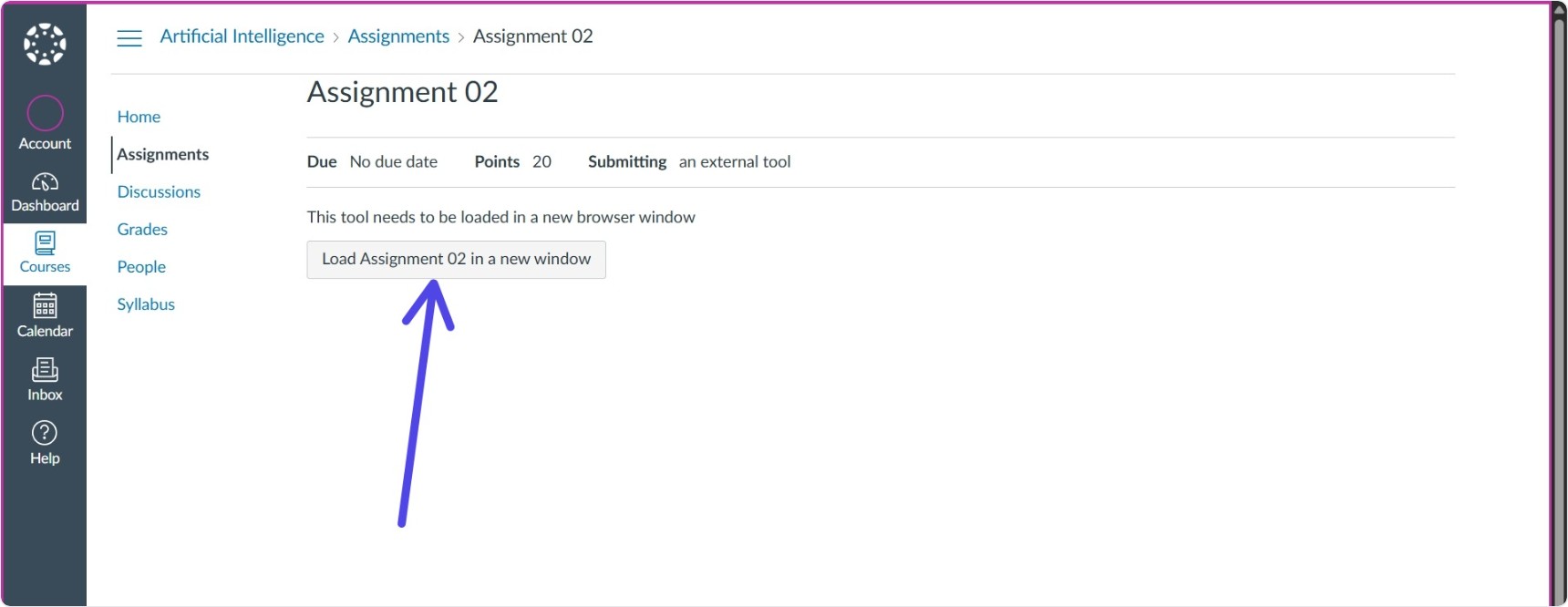
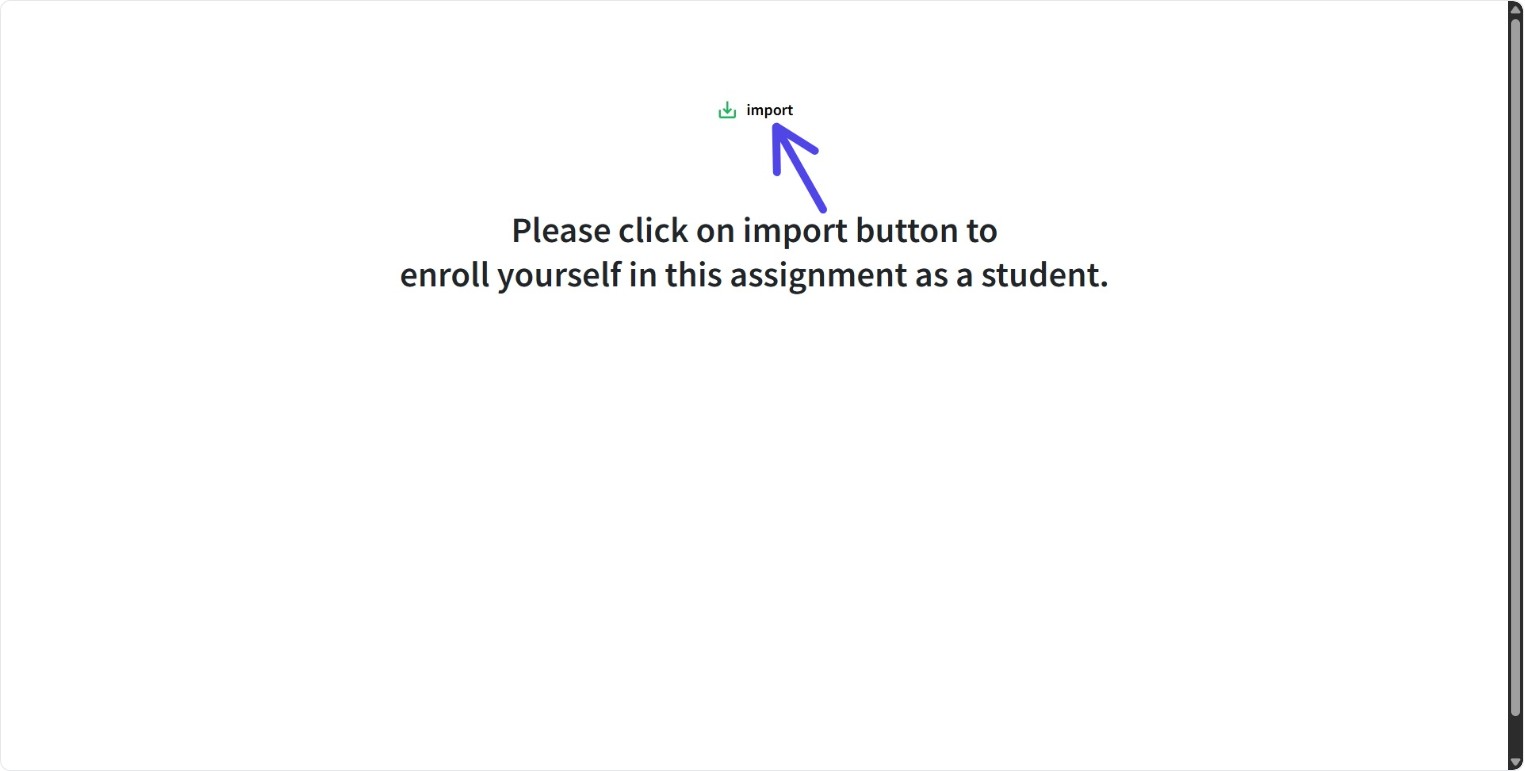
- Open the assignment and click "Import Assignment"
- This creates a personal working copy
Start the Notebook Server
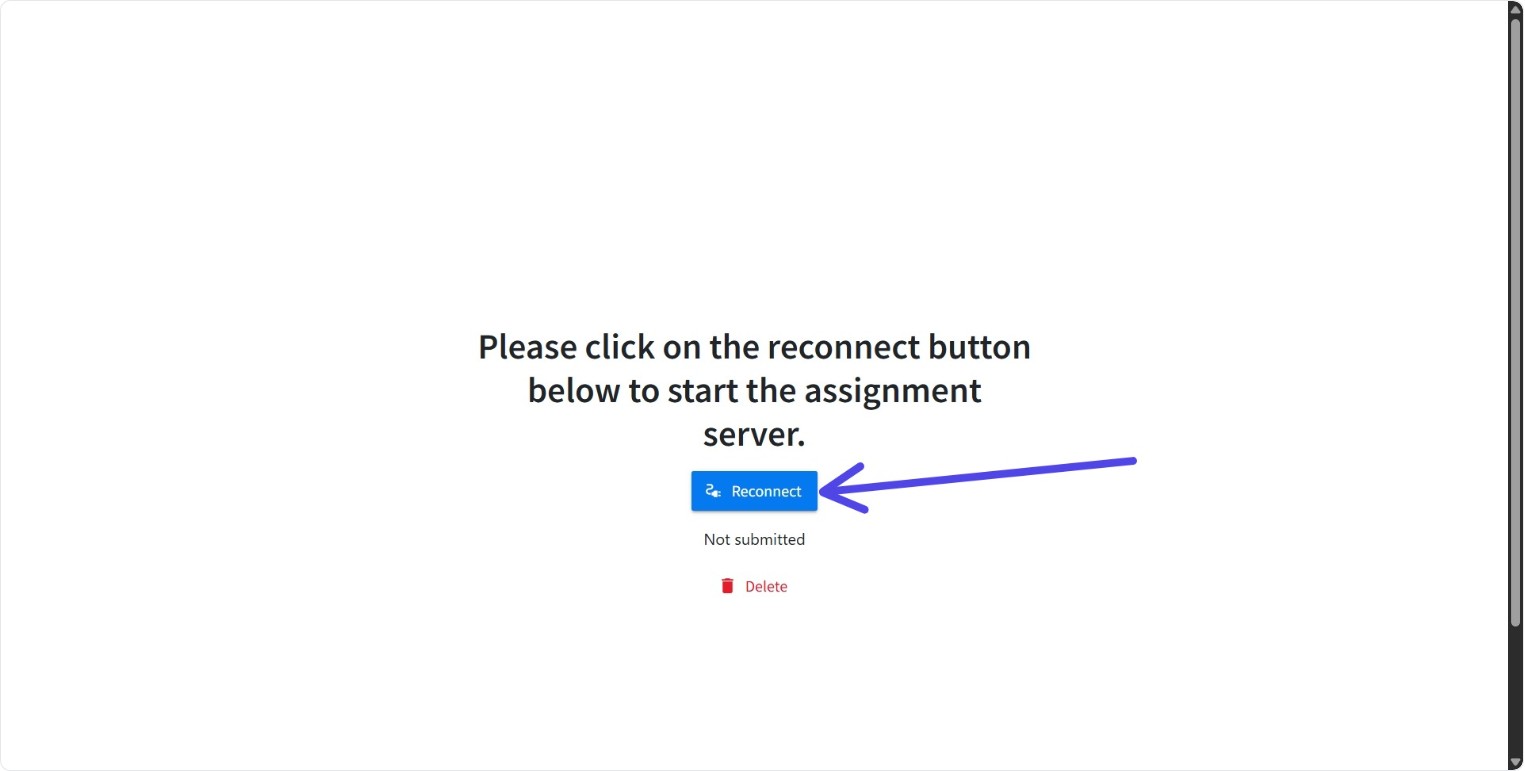
- Click "Start Server" to launch your environment
- Jupyter Notebook opens automatically
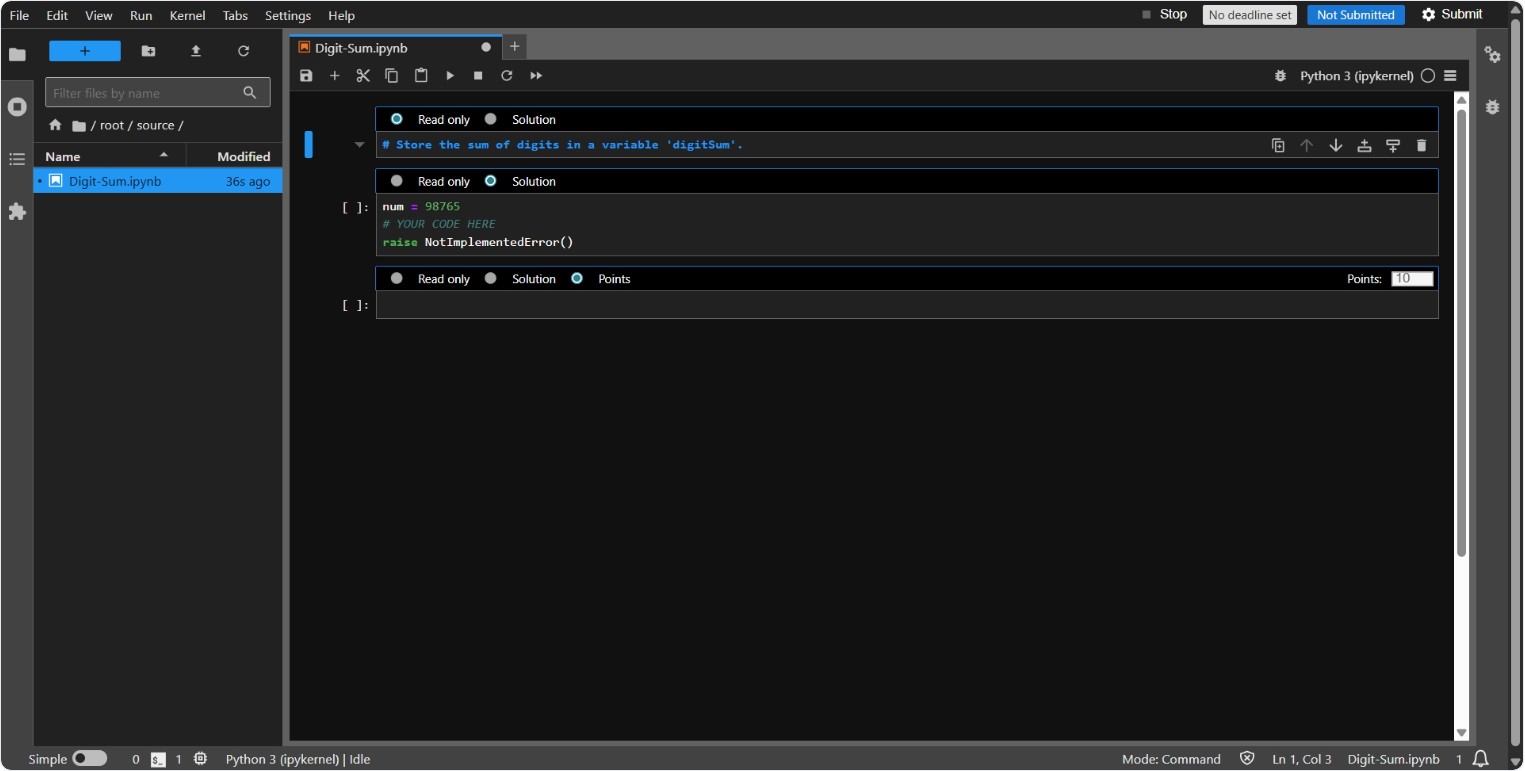
Complete the Assignment
- Use the notebook interface to solve problems and submit
Next Steps
- Refer to Import and Solve Assignment and Submit Assignment for full instructions