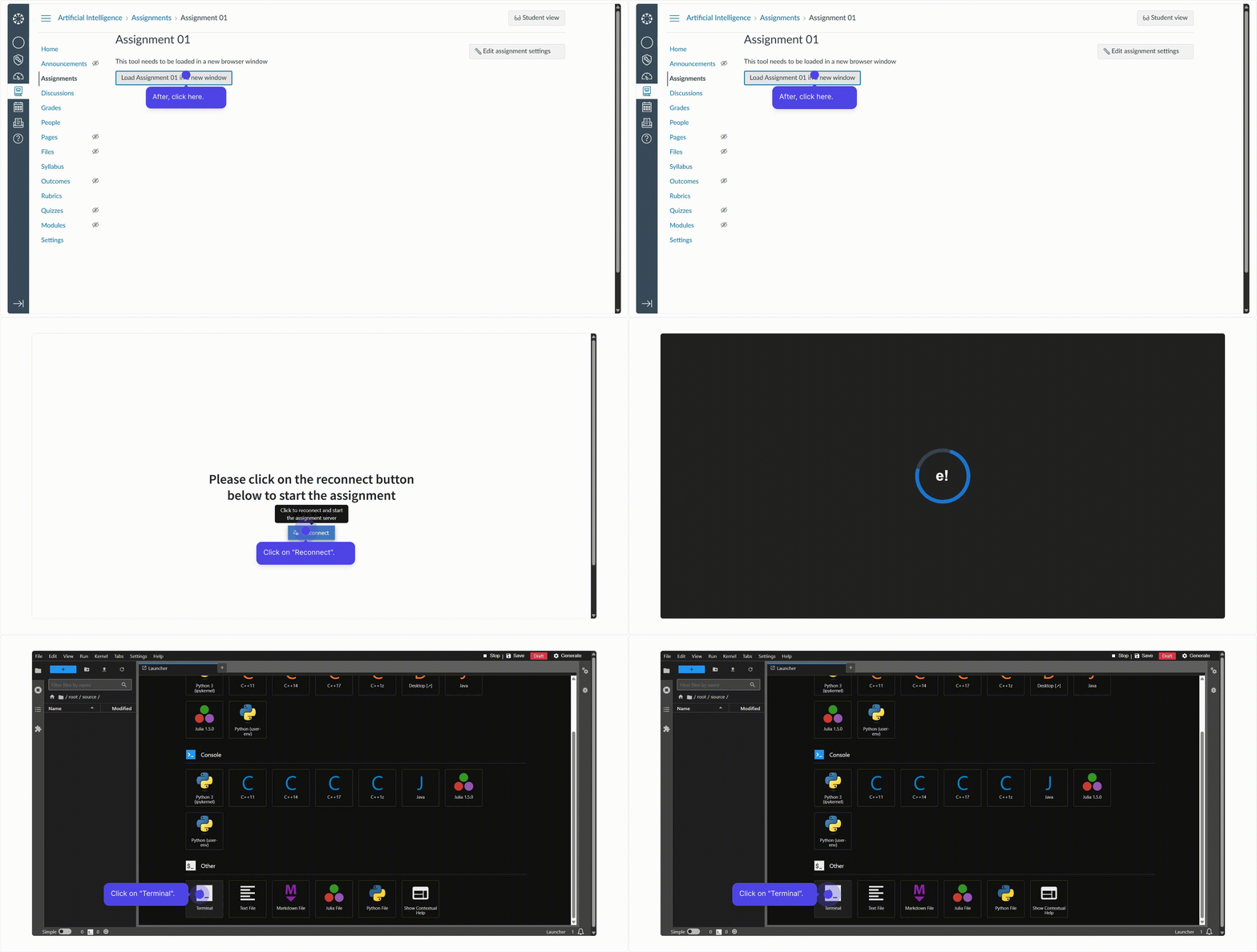
Instructor Flow on Canvas
Before using Lab.Computer assignments in Canvas, ensure your Deployment ID has been verified by Lab.Computer.
Create an Assignment in Canvas
- Go to your Canvas course and create a new assignment
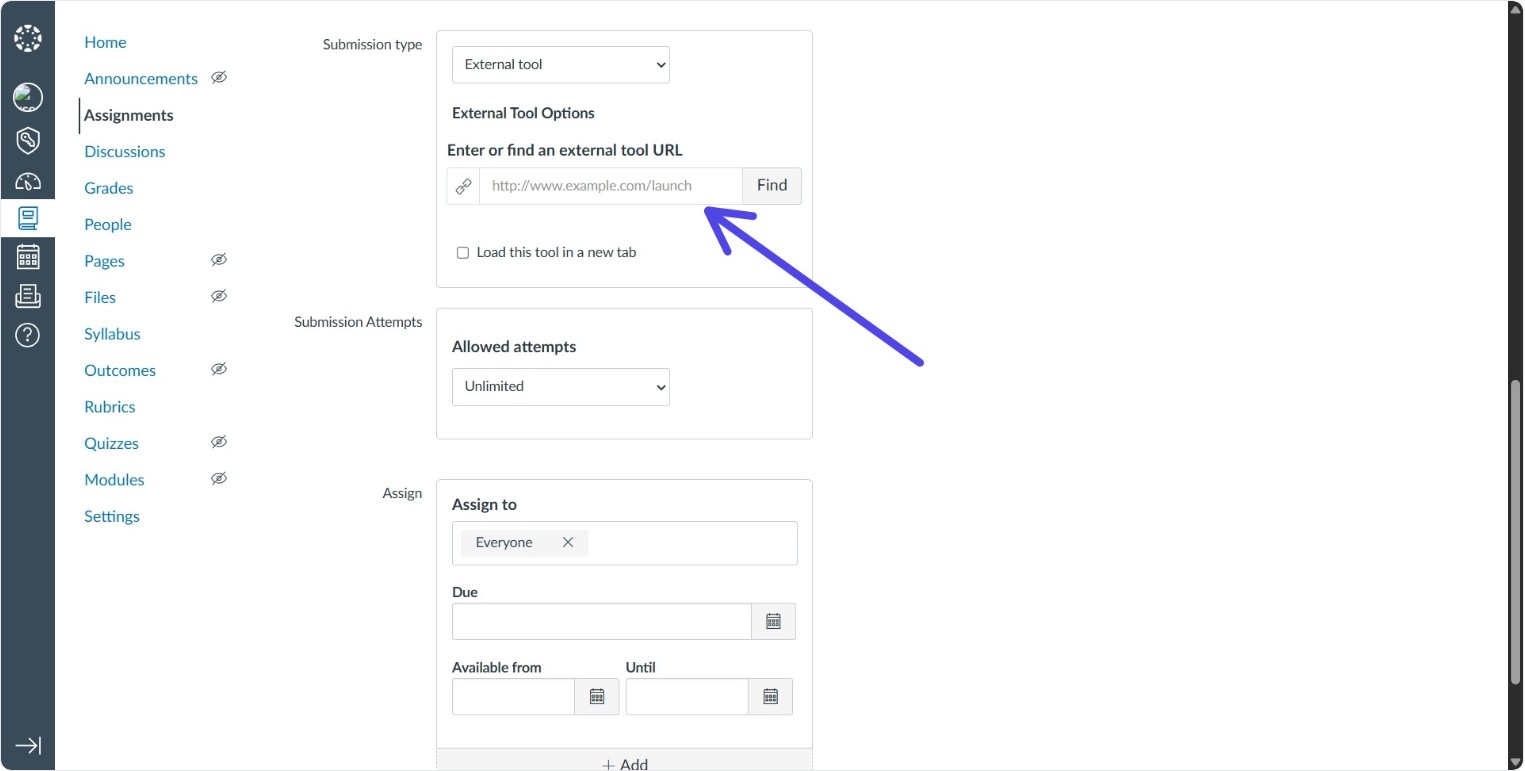
- Submission Type: External Tool
- External URL:
https://lab.computer/lti/launch - Optionally, select Load this tool in a new tab
- Save the assignment
Access Lab.Computer Assignment Tool
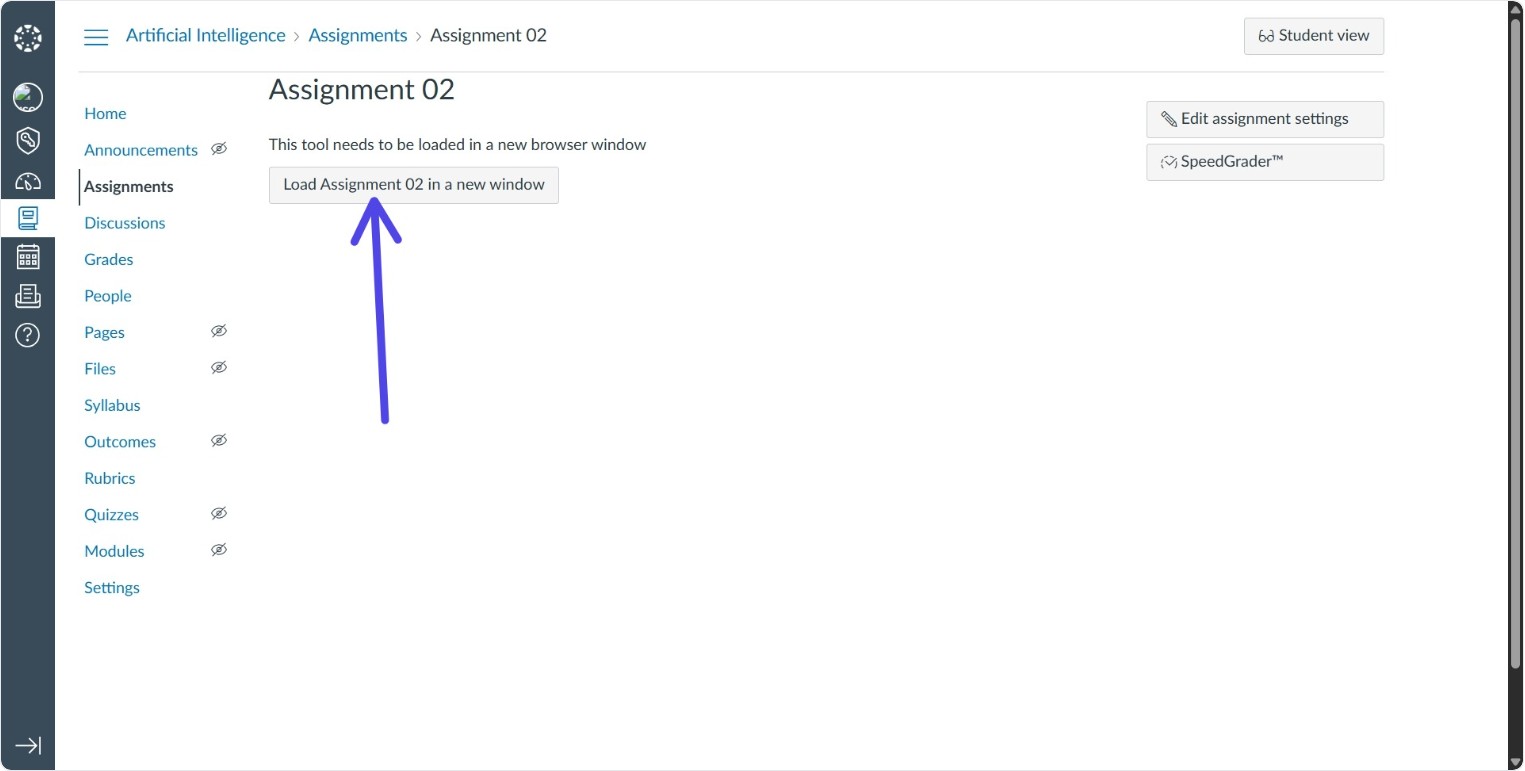
- Click the assignment launch button // load button
- Click the Reconnect button to start the assignment server
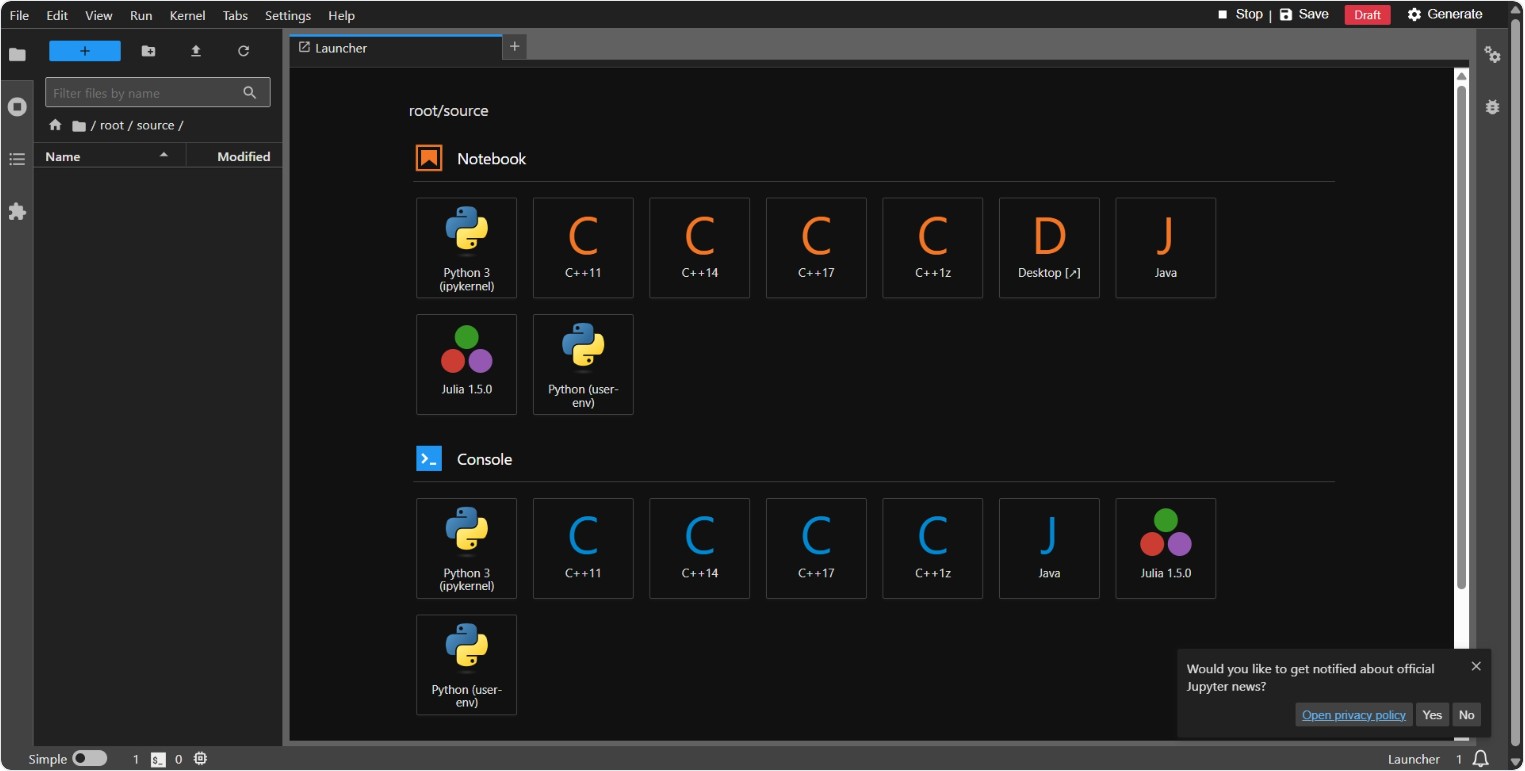
- A Jupyter Notebook environment opens for creating or editing assignments
Next Steps
Follow the detailed guide: Assignment Guide.