Joining a Course
Students can join courses through three different enrollment methods.
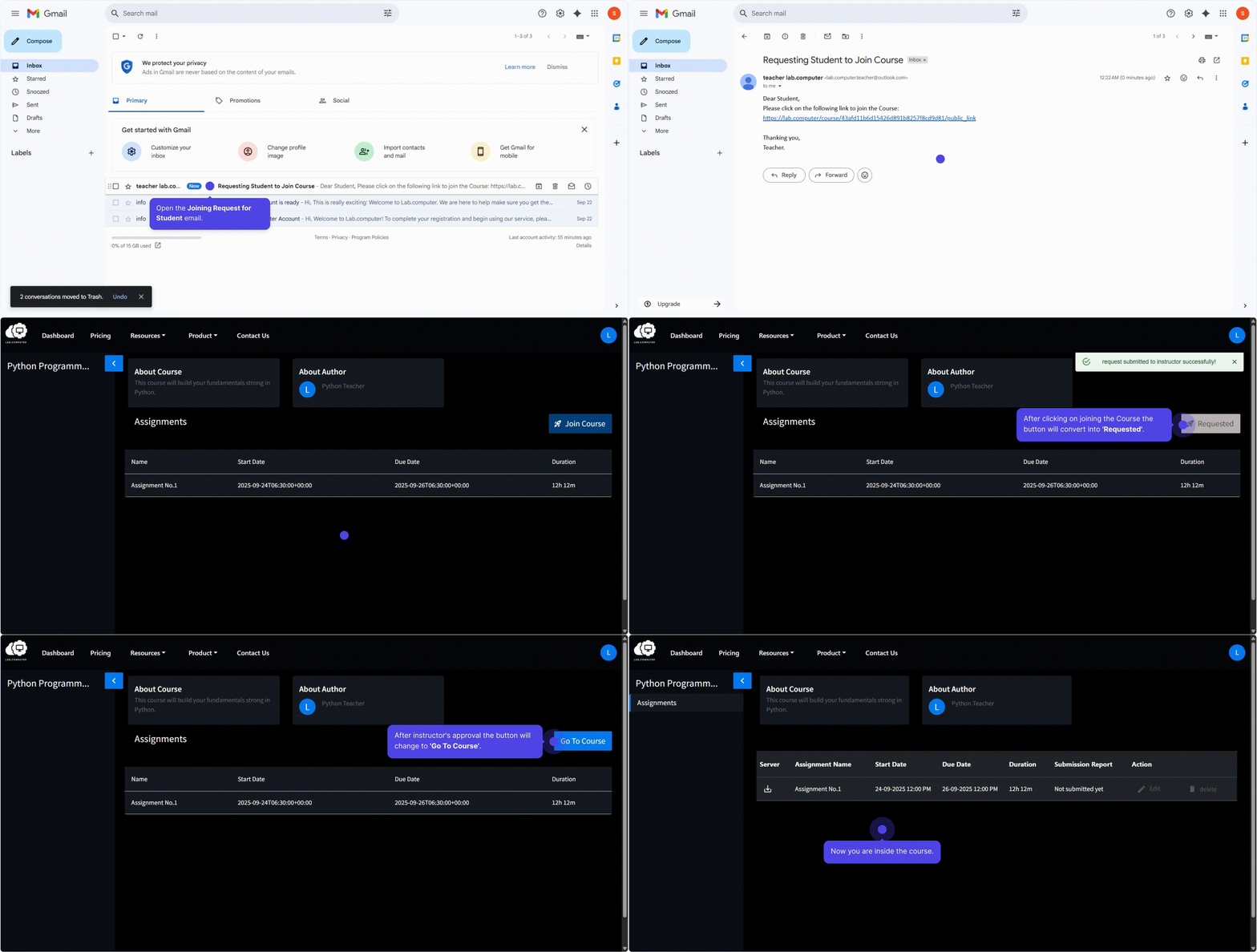
Via Public Link
- Click the public enrollment link shared by your instructor.
- Click Join Course to send a request for course access.
- Wait for instructor approval in the course's Students tab.
- Once approved, the course appears in your Dashboard under Joined Courses.
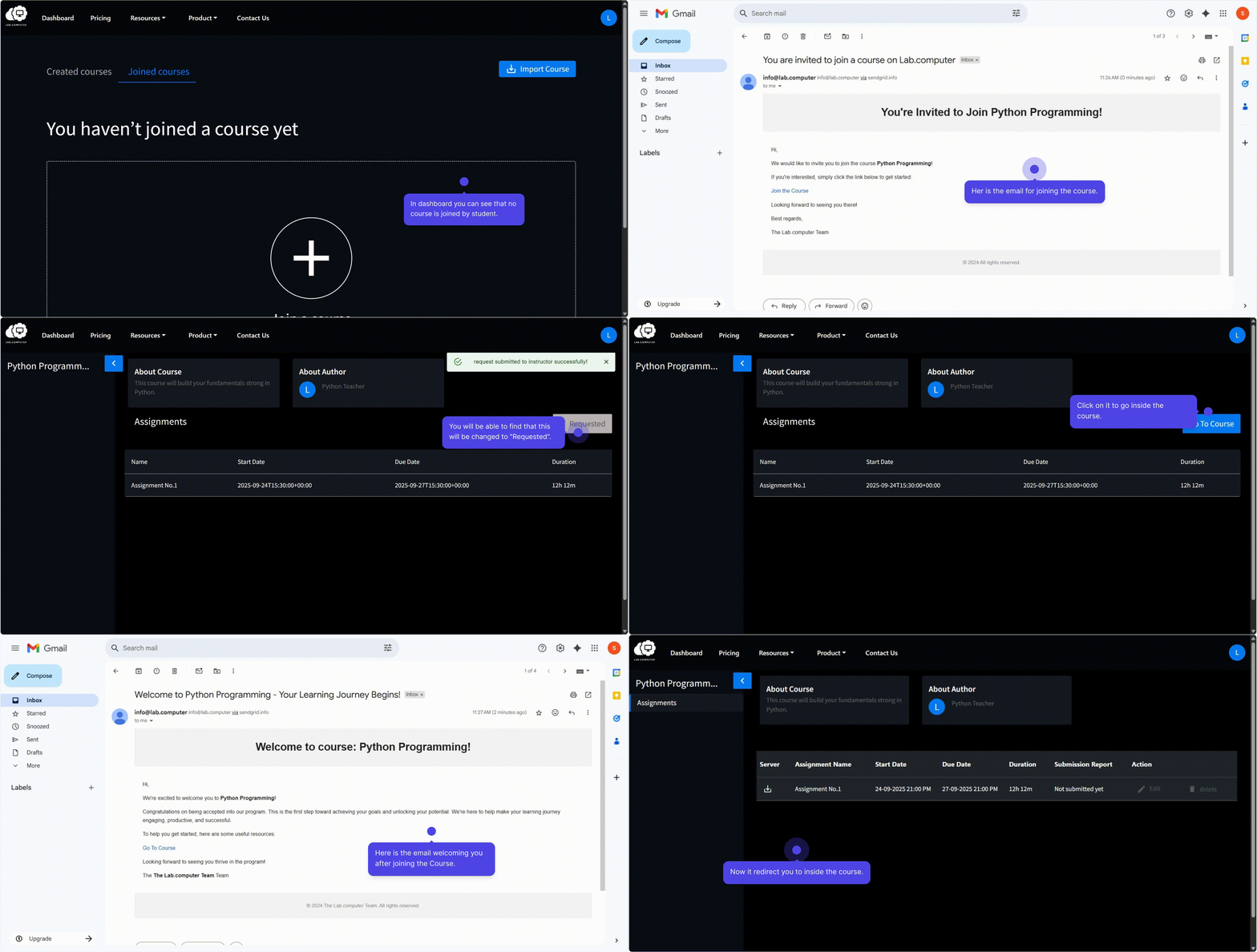
Via Direct Invitation
- Open the invitation email from Lab.Computer.
- Click the Join Course link.
- Confirm enrollment — the course is added to your Dashboard immediately.
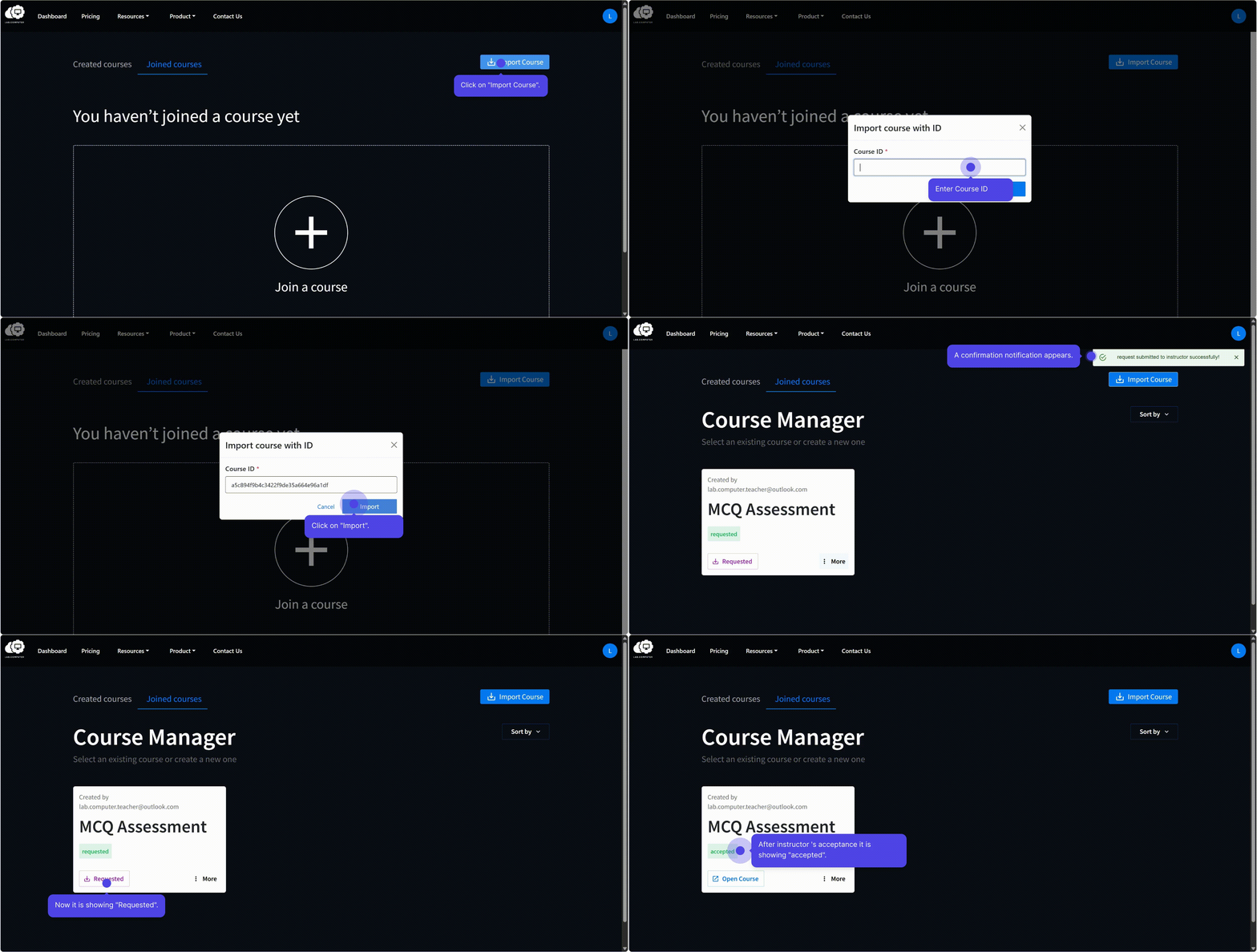
Via Share ID
- Log in to Lab.Computer and navigate to your Dashboard.
- Go to Joined Course section.
- Enter the Course ID provided by your instructor and click Import.
- The course becomes accessible once approved by instructor.