Assign Point Values
Point allocation defines the grading structure of an assignment. It determines the relative importance of each solution cell and ensures students understand how their work will be evaluated.
Configuring Points
- Points can be assigned to Autograded Answer and Manually Graded Answer cells using the Points field in the Assignment Toolbar.
- The total assignment score is displayed automatically at the top of the notebook.
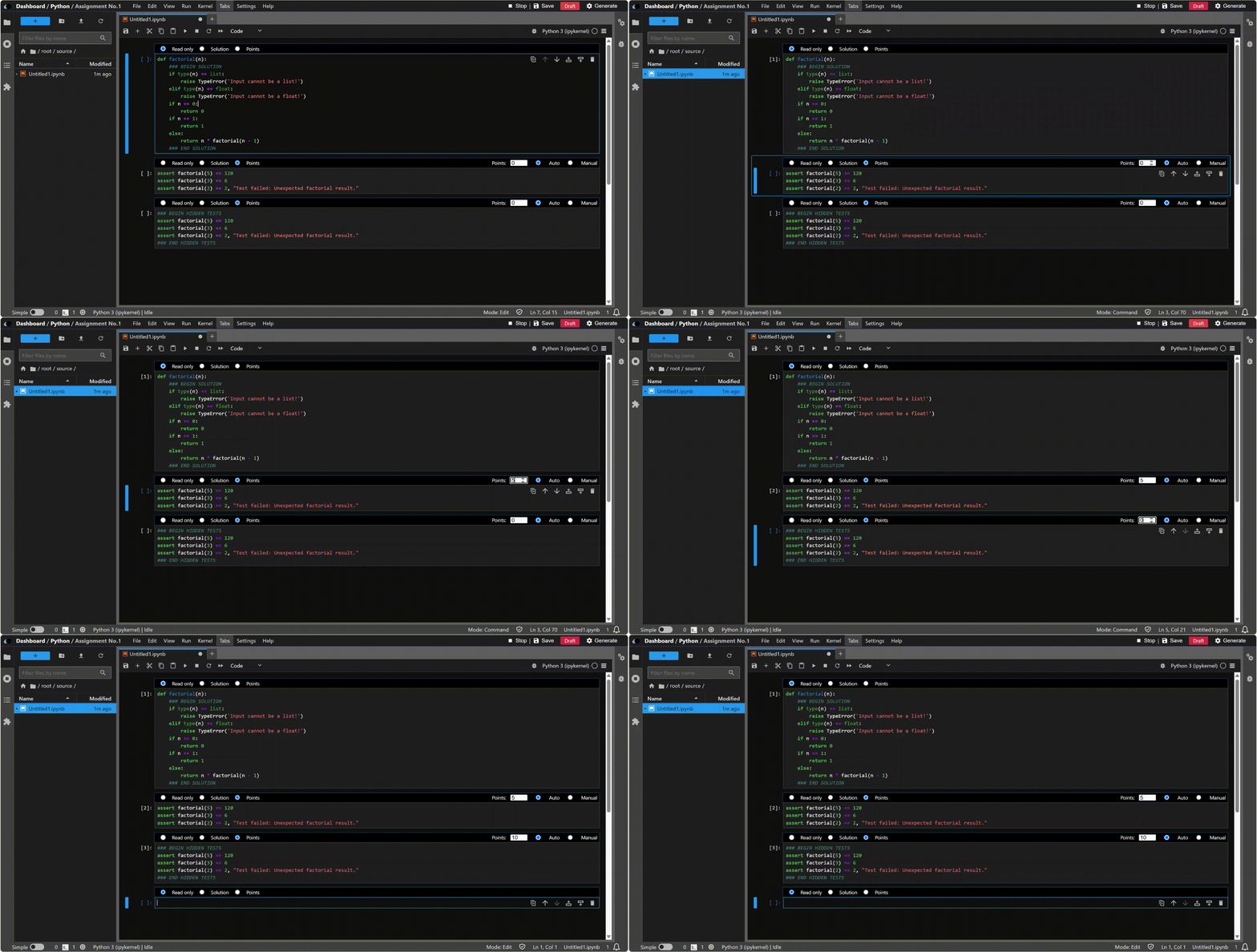
Distribute points according to:
- Task difficulty
- Learning objectives
- Relative assessment weight
Score Calculation
The final assignment grade equals the total of all points earned:
Total Score = Σ (Autograded Cell Points) + Σ (Manually Graded Cell Points)
Partial Credit
- Autograded Cells: Test cases can have separate point values, granting proportional credit for partially correct solutions.
- Manually Graded Cells: Rubrics can be used to assign partial credit for written or analytical responses.
Example (10‑point programming problem):
- Basic functionality – 4 points (2 points each)
- Edge case handling – 3 points (1 point each)
- Efficiency or optimization – 3 points
This approach rewards foundational understanding while encouraging complete solutions.
Zero‑Point Conditions
If a student’s code raises an exception or fails to execute in an Autograded Answer cell, the system automatically assigns 0 points to that cell. The cell remains visible for review and resubmission. This maintains grading consistency and fairness.
Best Practices
- Display point values clearly in each solution cell.
- Use partial credit to encourage iterative improvement.
- Avoid cascading test dependencies that might cause multiple zeroes.
- Combine manual and automated grading for balanced evaluation.