Single Sign-On
No separate credentials are required. Students use existing LMS logins with automatic authentication, without managing extra passwords.
We use cookies to run the site, and (only with your permission) to understand usage with analytics.Read our Privacy Policy.
LTI & EdTech
Institutions can integrate Lab.Computer directly into Canvas LMS in just a few clicks, enabling seamless grade synchronization, real-time assessments, and secure workflows that make coding education more efficient and scalable.
No setup required for learners
Instant grading and feedback

Concept-first learning workflow

AI-supported assignment delivery
No separate credentials are required. Students use existing LMS logins with automatic authentication, without managing extra passwords.
Access browser-based coding environments directly inside the LMS. No software installation or downloads are required.
Student scores are sent automatically from Lab.Computer to the LMS gradebook as soon as assignments are submitted.
Secure, Standards-Based LTI 1.3 Platform Support
Launch coding labs directly in Canvas with secure LTI 1.3 single sign-on and automatic grade synchronization in the native gradebook.
Embed programming labs into Blackboard with standards-based authentication and dependable grade passback for instructor workflows.
Connect real-time coding environments to Moodle and keep assignments and grades synced for all enrolled learners.
Integrate cloud IDE experiences into custom LMS platforms with centralized authentication and consistent automated grading.
Integrate your platform securely into your LMS or website using LTI 1.3. Both manual setup and dynamic registration are supported.
Instructors create courses, upload content, and configure AI-based assignments with deadlines, grading rules, and outcomes in one LMS workflow.
Students access assignments and external tools through secure LTI single sign-on with verified identity and role-based access control.
Each assignment launches a dedicated cloud workspace pre-configured with required software so students can code immediately.
Submissions are evaluated against test cases and grading criteria, with immediate feedback that helps students improve faster.
Scores sync to the LMS gradebook in real time, while institutions track engagement, outcomes, and overall progress.
Instructors can enable Proctortrack-powered AI or manual proctoring to preserve exam integrity in high-stakes assessments.
Simplifying technical learning so students can build real skills with confidence.
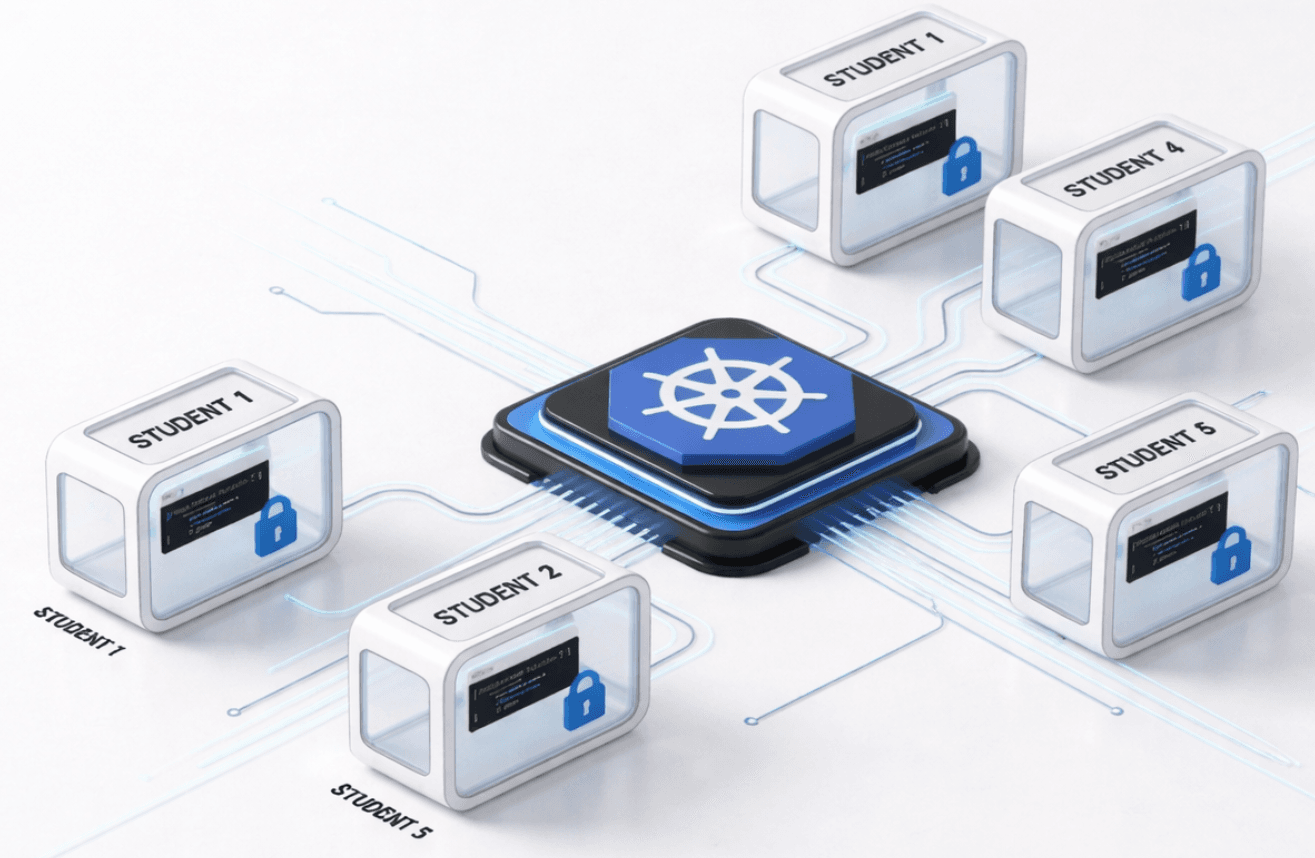
Using Kubernetes, Lab.Computer creates isolated environments for each student. Through LTI, each learner gets a dedicated workspace at launch, enabling safe and scalable parallel labs.
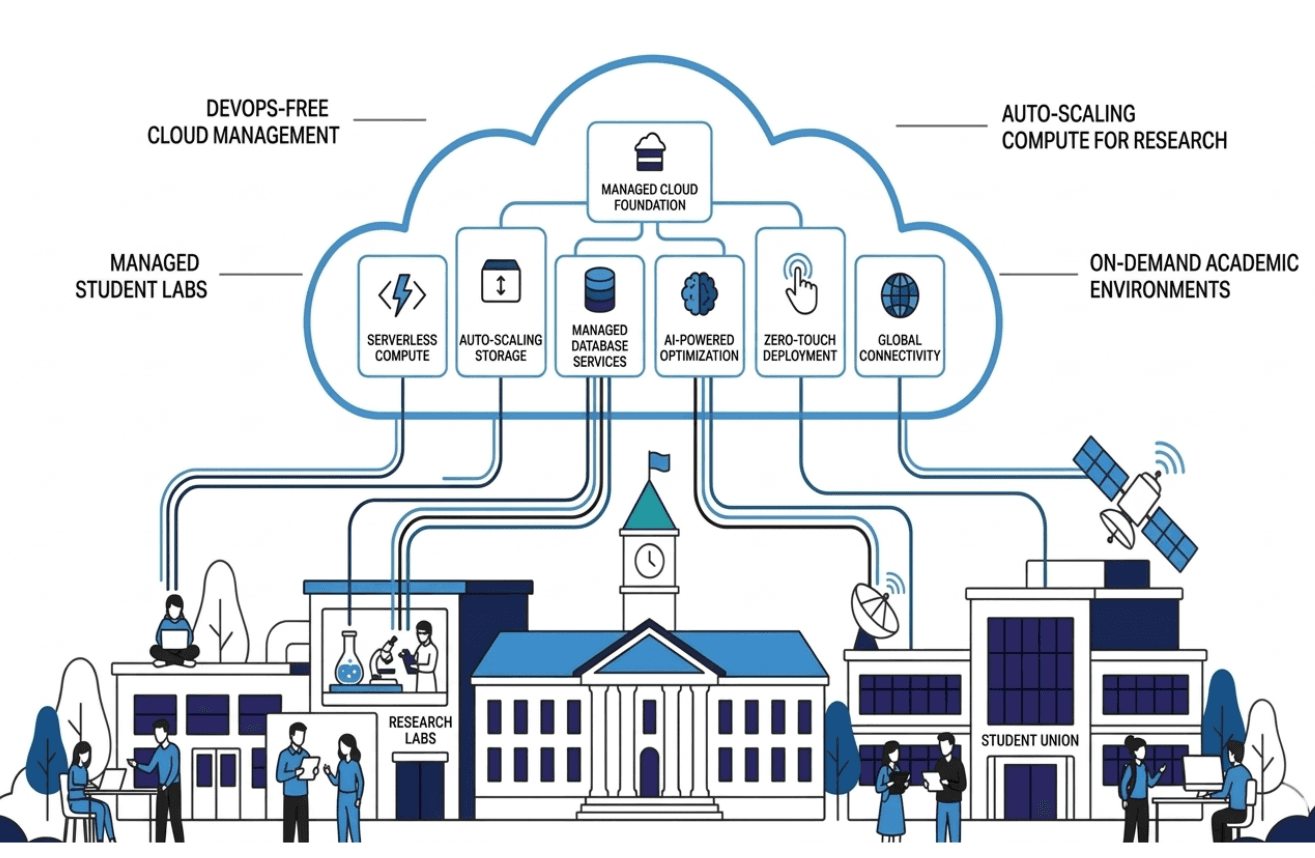
Instructors and students use IDE resources without needing DevOps knowledge or complex setup. Lab.Computer manages infrastructure automatically in the background.
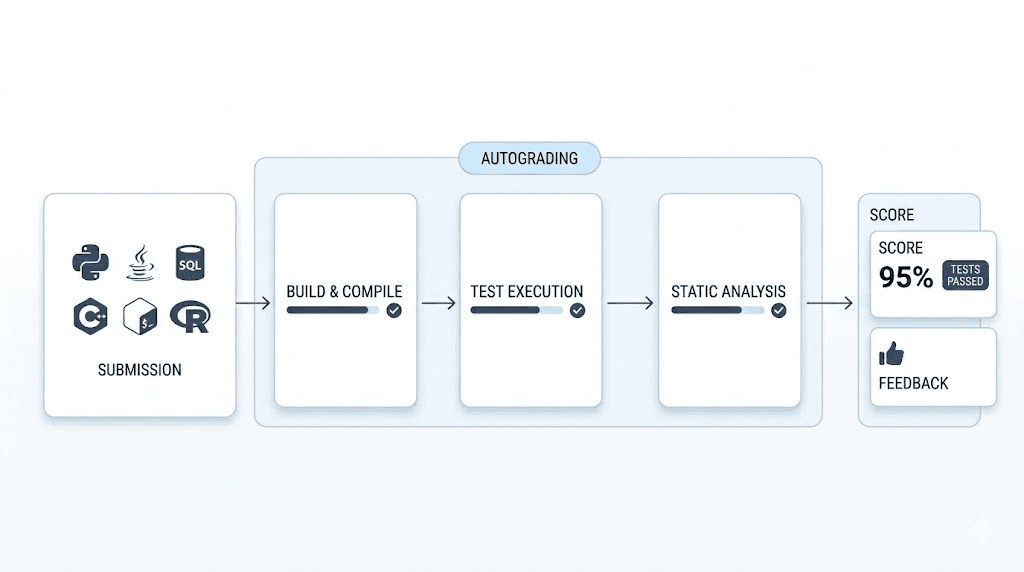
Automatically evaluate Python, R, Java, C++, SQL, and Bash assignments with instant feedback, consistent scoring, and lower grading overhead.
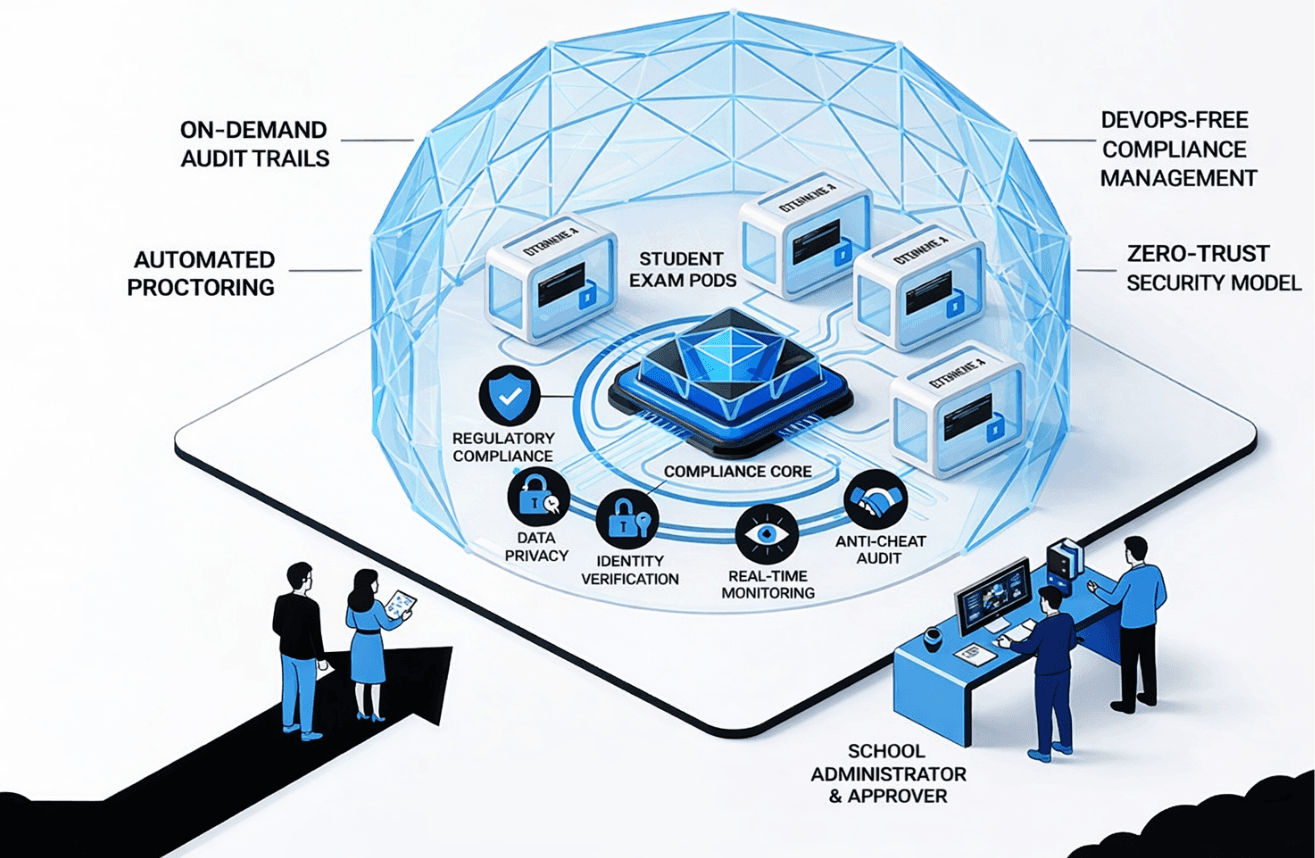
Student data and coursework remain protected with secure access controls and standards-aligned practices for institution-level reliability.
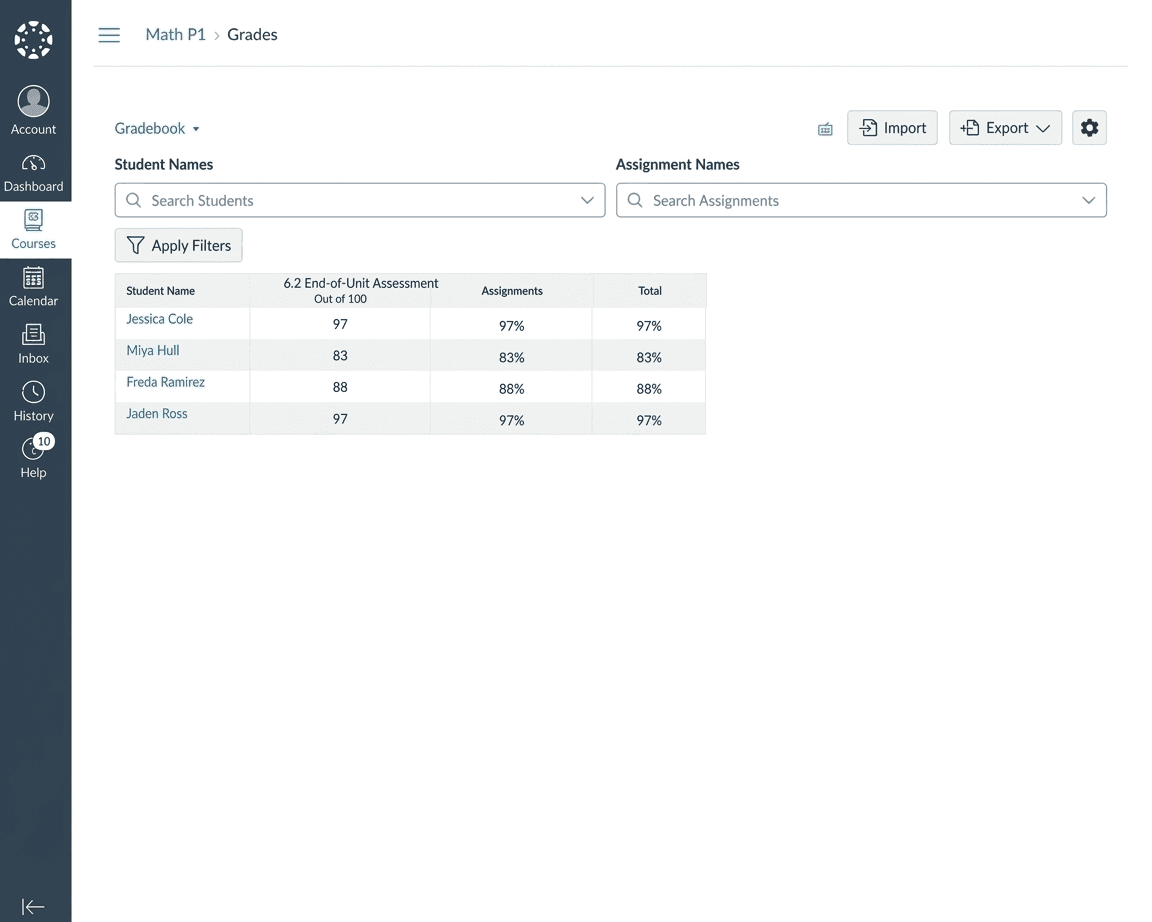
Scores are pushed automatically from Lab.Computer into Canvas so instructors avoid manual grade entry and students see progress updates immediately.
Have questions? Reach out anytime and we will help you get started.