

Eliminate complicated processes to set up a programming environment
We use cookies to run the site, and (only with your permission) to understand usage with analytics.Read our Privacy Policy.

Maximize learning experience in computer education with Lab.Computer.
Sign Up for FreeEliminate complicated processes to set up a programming environment

Learn concepts practically without worrying about configuration

Get feedback directly on codes from instructors
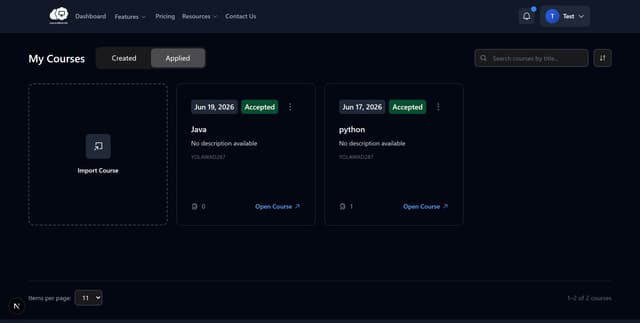
Students don’t need to download and configure programming environments. Students can learn code from a browser.
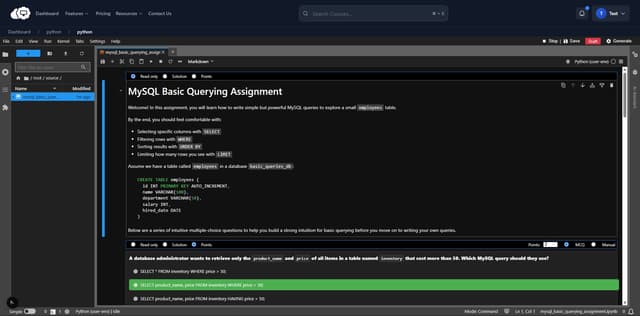
Students’s learning is not intervened by configuring programming environments. Students simply focus on the concepts.
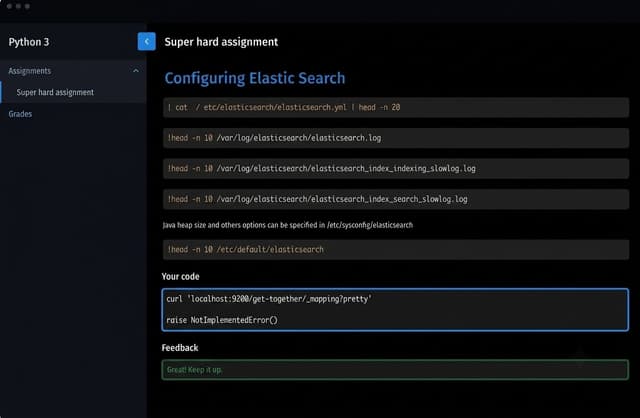
Students can get feedback on an assignment directly. Instructors can give feedback incrementally during a course without going back and forth between codes and messenger.

Step 1
Students can easily start a course and begin working on the assignments in an integrated Jupyter Notebook environment. To begin this course, no extra setup is required.
Step 2
Students simply need to focus more on coding on the given assignment page and their work will be automatically saved in the background for the evaluation. This will be evaluated by the instructor.

Step 3
Students get their results instantly, thanks to an auto-grading system, which helps the students to view their grades and full performance, and make the necessary adjustments.

Step 4
Instructors share instant feedback and comment on each assignment in addition to grades to the students, which helps with their learning and improvement.